
Disclaimer: All guides provided are generalized information for personal troubleshooting. None of which are certified by the respective part manufacturers. Any improper installation/removal, mishandling, or negligence on your part, will be counted as physical damage and therefore void your warranty. If you have at anytime concerns or wariness please contact our technician support.
All pictures provided may differ to your own system configurations and components.
To learn more about what is covered in your warranty please refer to the following articles:
CyberPowerPC Limited Warranty Policy
CyberPowerPC Ecommerce Limited Warranty Policy
Checking the video card seating
If you have just received your new computer and you are experiencing do display issues or graphical errors, there is a chance that your graphics card might have come loose during shipping. This is fairly uncommon, however, it's always best to double check to ensure your components are properly connected.
- First, ensure that your PC is not powered on and power is disconnected from the wall.
- Disconnect the monitor from the graphics card.
- Remove the computer's side panel to get access to the internal components of the PC.
- Identify the video card. Figure 1.
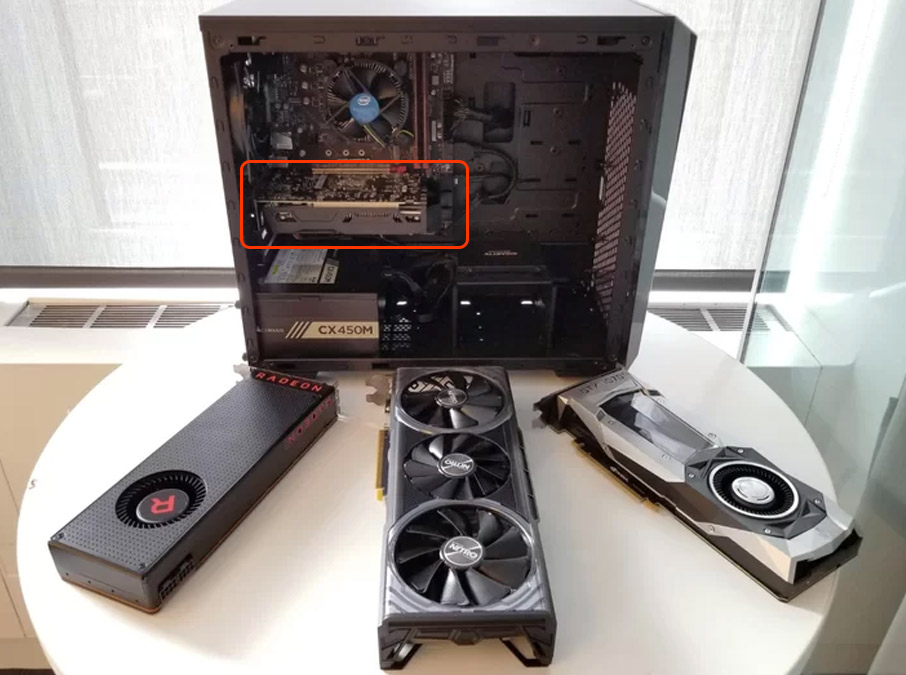
Figure 1
- Discreet add-on video cards (graphics card / GPU) are generally large and most of the time have one or more fans attached to it.
- Look for visible damage which could be any of the following
- For more detail see the Identifying Video Card Damage section below.
- Place your thumbs on the edge of the graphics card and align them with the ends of the PCI slot on the motherboard and firmly push it towards the motherboard. Figure 2.
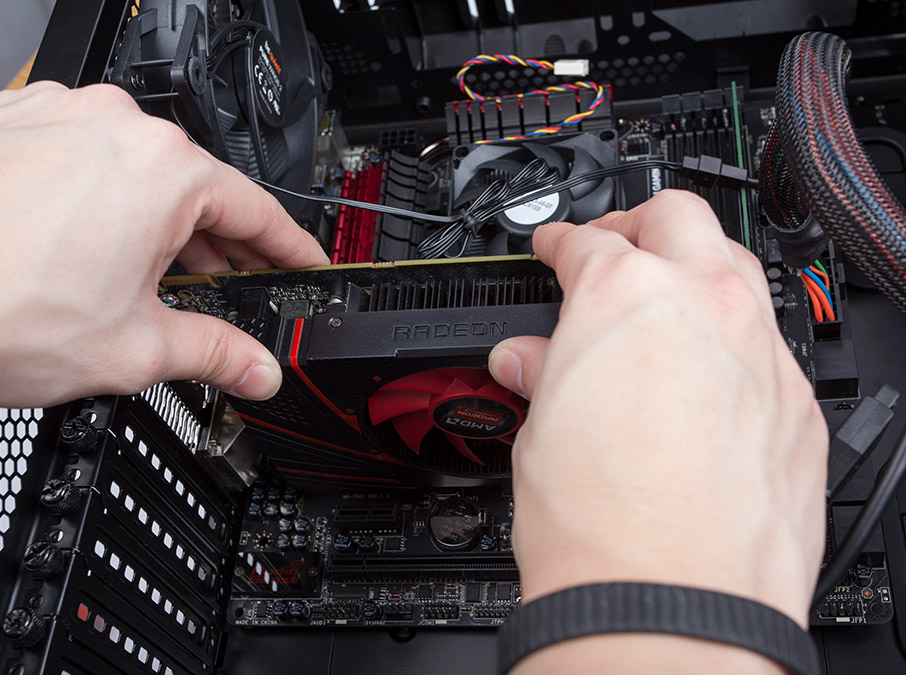
Figure 2 - Ensure that the PCI slot lock is in the locked position. Figure 3.
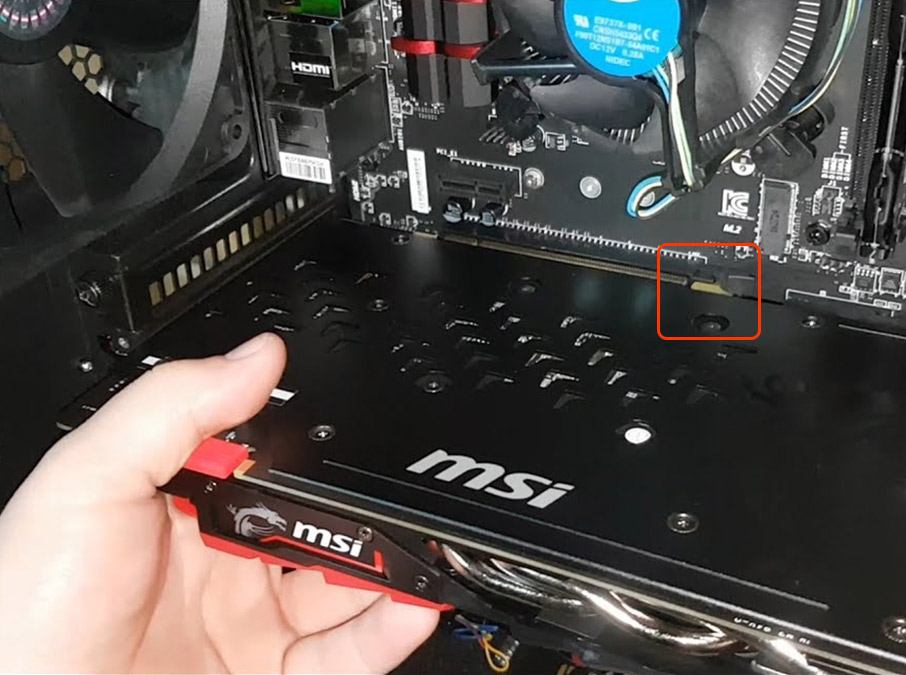
Figure 3 - Check that the video card is tightly screwed to the case. Figure 4.
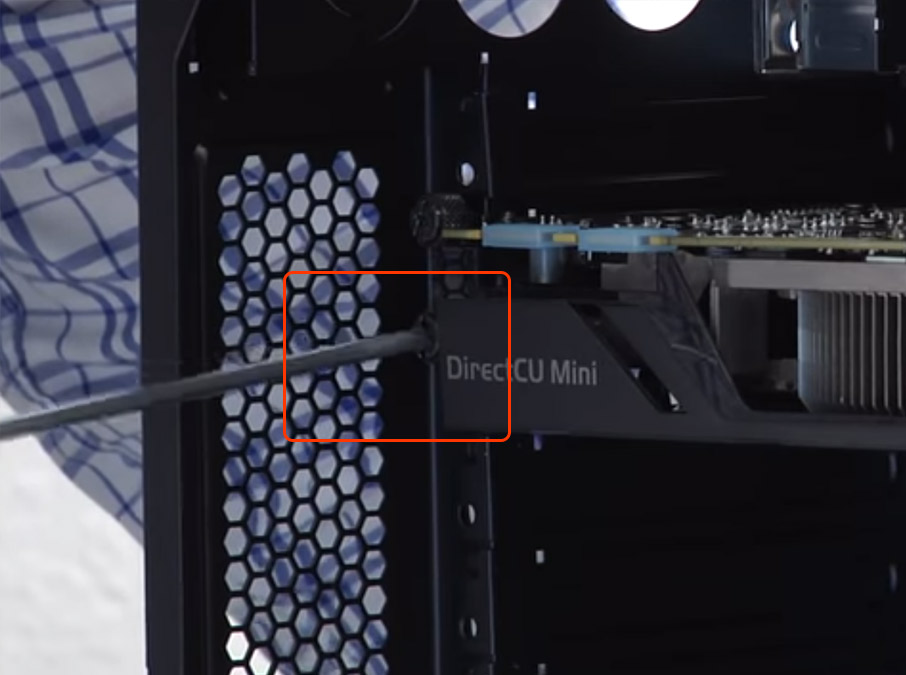
Figure 4 - Check that the power cables connected to the GPU are tight and secure. Figure 5.
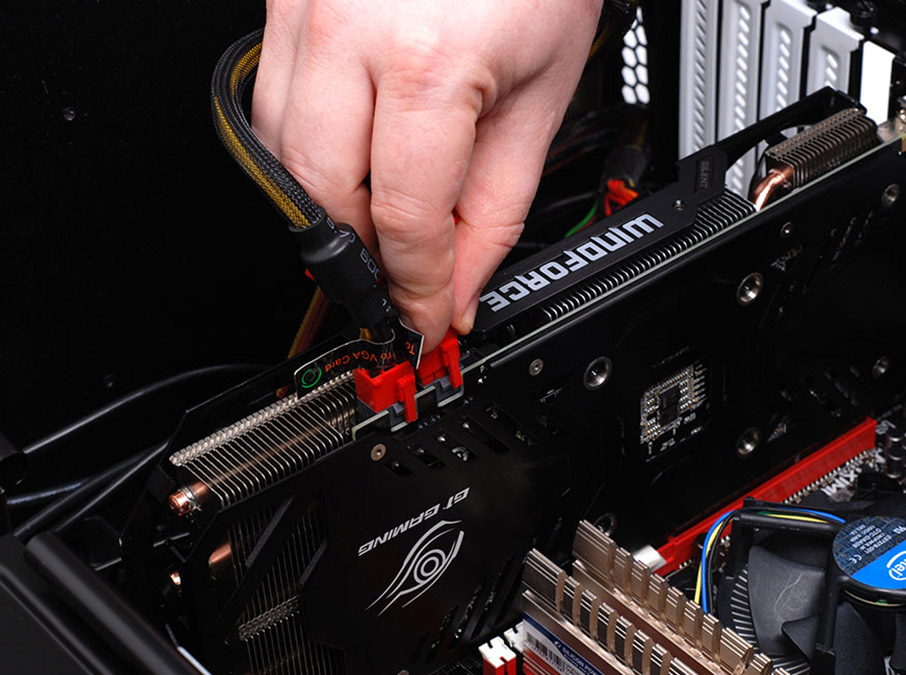
Figure 5
- Not all video cards will need power, look for power connection ports to determine if your video card requires power.
Identifying Video Card Damage
Here are some examples of how to identify if your video card is actually damaged or not.
- Graphics card is not in the slot properly.
- The GPU is completely disconnected or separated from the motherboard
- PCI slot lock was broken, or PCI slot is broken.
- The graphics card's end opposite the back of the computer is too far forward.
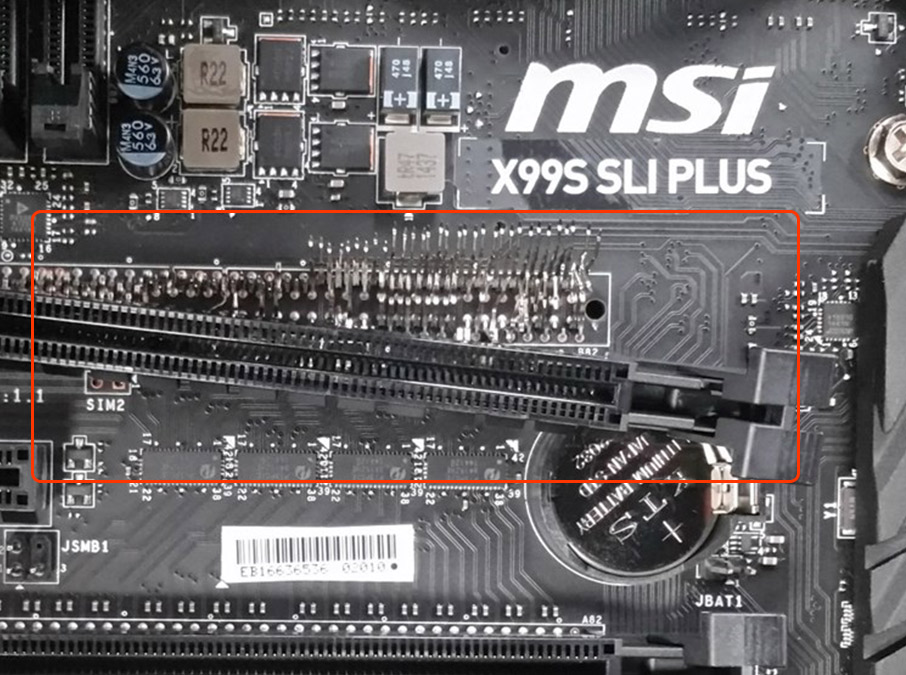
- The graphics card's end opposite the back of the computer is too far forward.
- Rear I/O bracket bent.
- This is noticeable if the ports such as your HDMI or Display Port ports are obstructed because the card has shifted up or down too far.
- Leaking coolant
- If this is a liquid cooled GPU and you notice any liquid on the GPU or around it.
Comments
3 comments
Figure 1 & 2 solved the problem. Thanks!
Re-seating your video card can help resolve display issues, crashes, or performance problems caused by a loose connection. Carefully removing and firmly reinstalling the latest version the card ensures proper contact with the motherboard. It’s a simple step that often fixes surprisingly common problems.
This method really helps when GPU-related issues affect display or editing performance. A properly seated graphics card improves stability, which is essential for photo editing work. After fixing hardware issues, it’s better to download apk on pc of updated photo editing tools that are optimized for better graphics handling.
Article is closed for comments.